

Live Frontend Filter
A container for filter controls that refine testimonials live on the front end.
The Live Frontend Filter is a layout row that holds one or more filter controls — Filter by Group and Filter by Rating. When a visitor changes a filter, the testimonials update instantly over AJAX — that is, without reloading the page.
How to add it
Enable Live Frontend Filter in a display block's Layouts panel. The plugin wraps the block in a Testimonial Group and inserts the filter row, pre-filled with both a Filter by Group and a Filter by Rating control. Don't want one of them? Select it and remove it from the row — you don't need to add anything to get both.
Settings
Select the Live Frontend Filter row to configure how its controls are arranged.
Settings
| Control | What it does |
|---|---|
| Multiple Filter Relation | How multiple active filters combine — AND (match all, the default) or OR (match any). |
| Content Orientation | Lay the filter controls out Horizontal (default) or Vertical. |
| Justify Content | Align the controls along the main axis (default center). |
| Align Items | Align the controls on the cross axis — start, center (default), end or stretch. |
| Flex Wrap | Allow the controls to wrap onto multiple lines (default), or keep them on one. |
| Gap | Space between the filter controls (default 10px). |
| Width | Width of the filter row (%, px or em — default 100%). |
| Alignment | Position the row left (default), center or right. |
Style
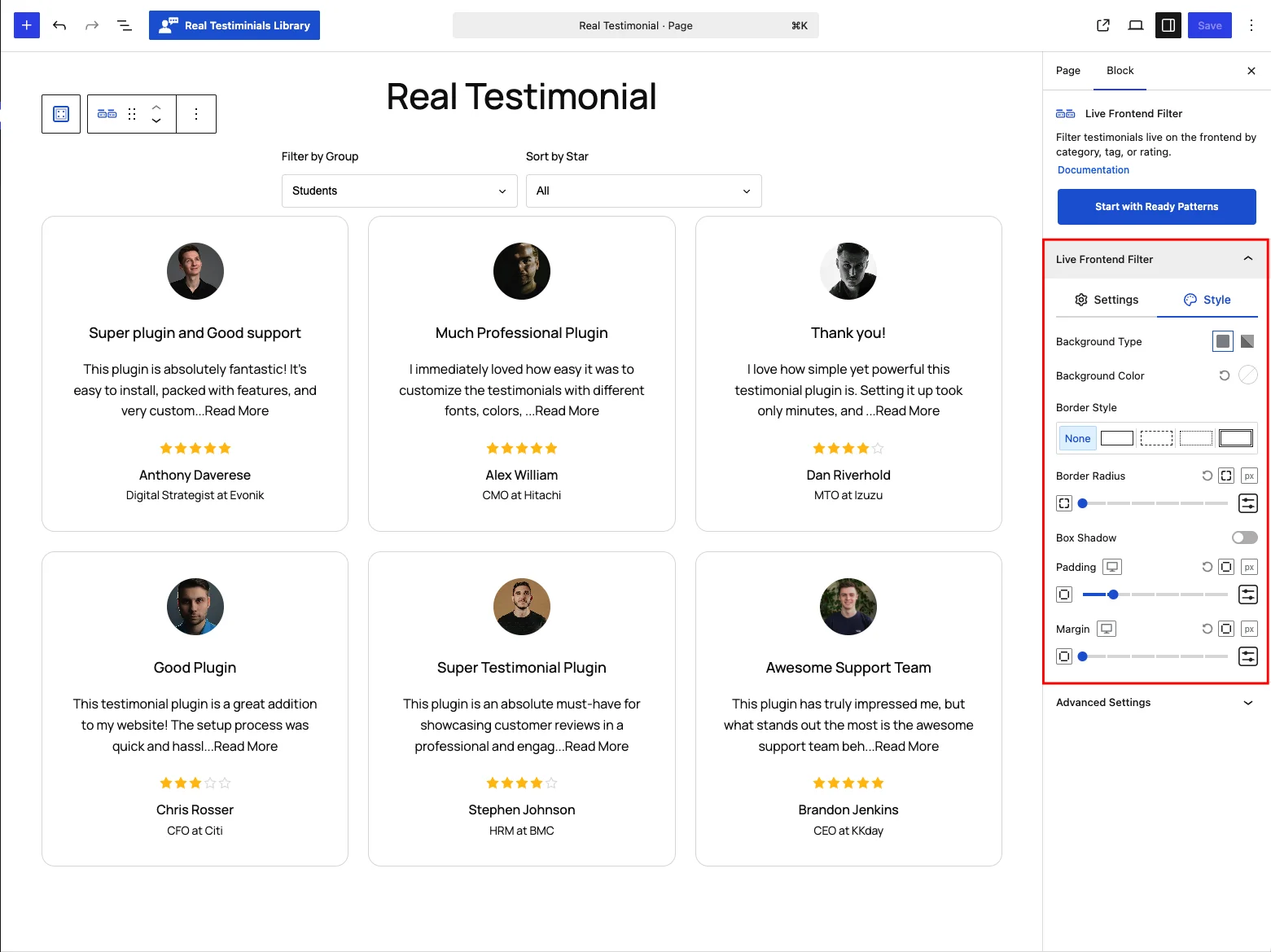
Background (type and color), border style, border radius, box shadow, padding and margin for the filter row.
Advanced Settings
The shared per-device visibility toggles (Hide on Desktop / Tablet / Mobile) and the Custom CSS Class and Custom CSS ID fields — the same controls described in the Carousel reference.
Frontend behavior
Each control sends the visitor's choice off in the background, then the matching testimonials come back and get swapped into the display block, with the rest of the page staying put. When several filters are active, Multiple Filter Relation decides whether a testimonial must match all of them or any of them.
Tips
- Use OR when categories overlap (a visitor exploring, not narrowing); use AND for precise drill-down.
- Keep the row Horizontal on desktop and let Flex Wrap stack it on mobile.
- Pair with Ajax Pagination so filtered results still page cleanly.