

Ajax Testimonial Search
Search testimonials in real time, without a page reload.
The Ajax Testimonial Search block (a content element you add in the WordPress editor) adds a search box above your testimonials. As a visitor types, matching testimonials appear instantly — no page reload, no separate results page.
How to add it
Enable Ajax Testimonial Search in a display block's Layouts panel. The plugin wraps the block in a Testimonial Group and inserts the search box above it.
Settings
Select the search block and the inspector (the settings sidebar on the right of the editor) shows two panels — Search and Search Button — plus the shared Advanced Settings.
Search
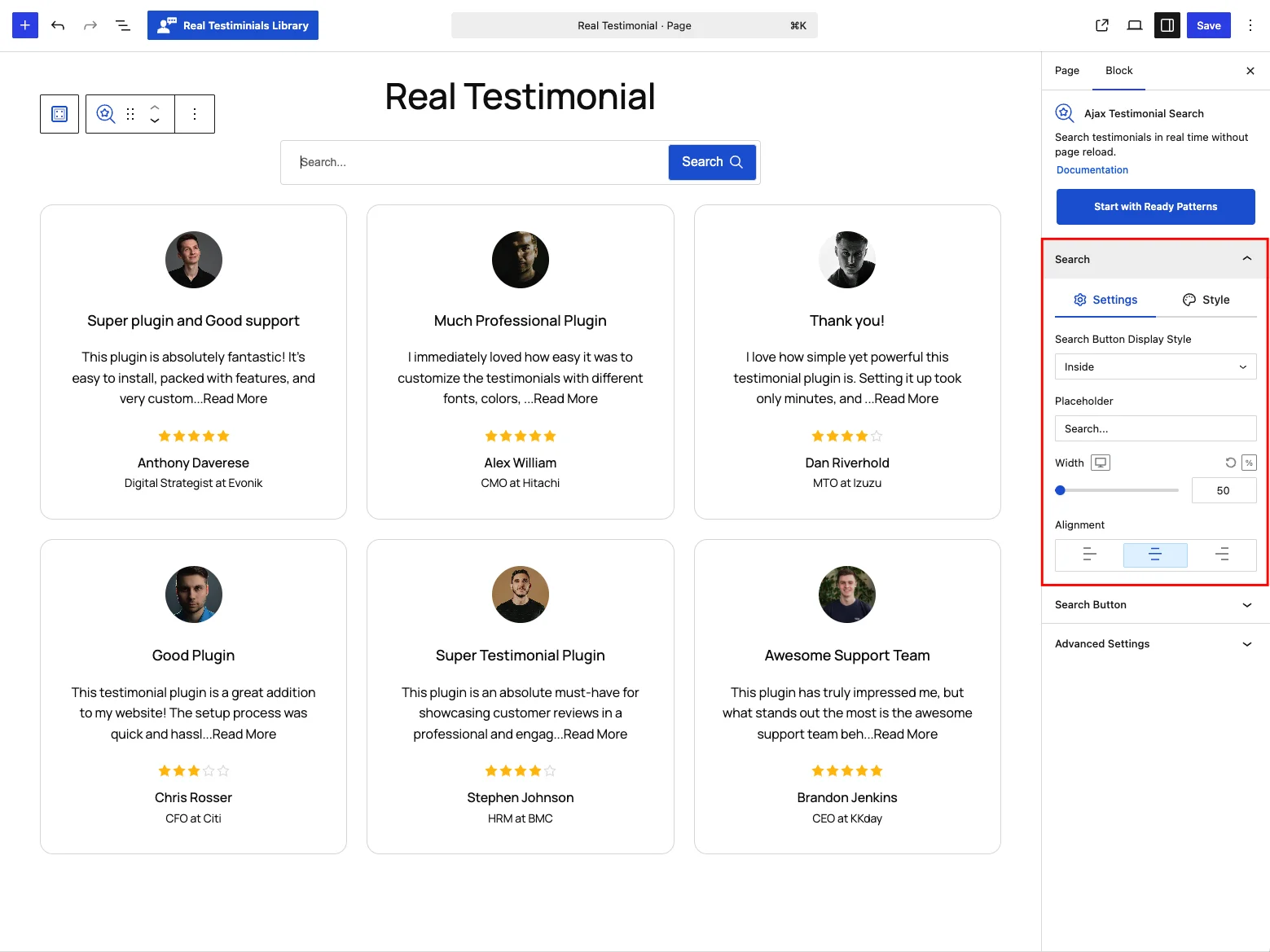
| Control | What it does |
|---|---|
| Search Button Display Style | Where the button sits: Inside the field (default), Outside it, or No Button (search-as-you-type — see below). |
| Placeholder | The hint text in the empty field. Default Search.... |
| Width | How wide the search box is (%, px or em). Default 50%. |
| Alignment | Position the box left, center (default) or right. |
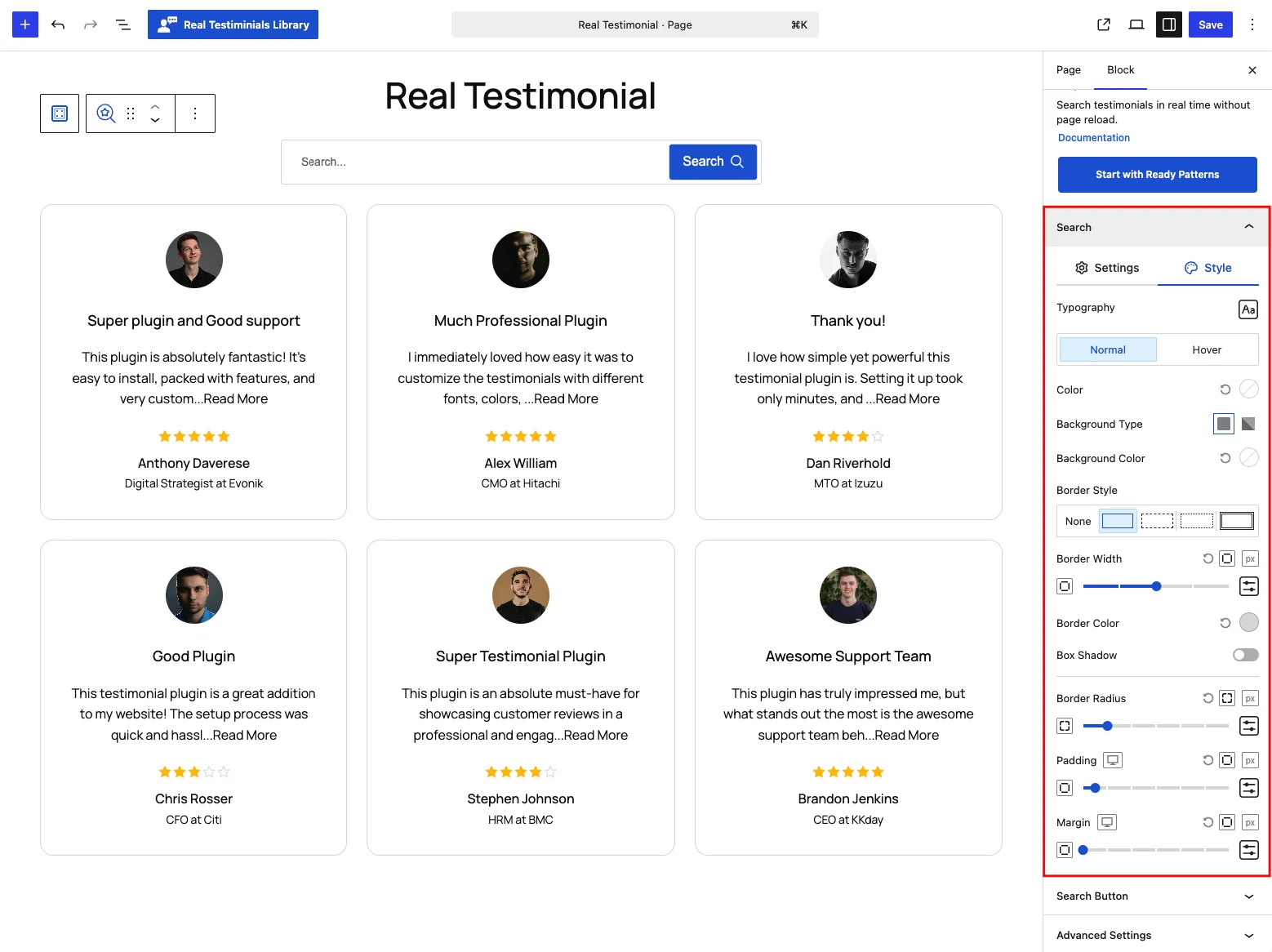
The Style tab styles the search field itself: typography, text color, background type and color, border (style, width and color), box shadow, border radius, padding and margin — with Normal and Hover states.
Search Button
(Hidden when Display Style is No Button.)
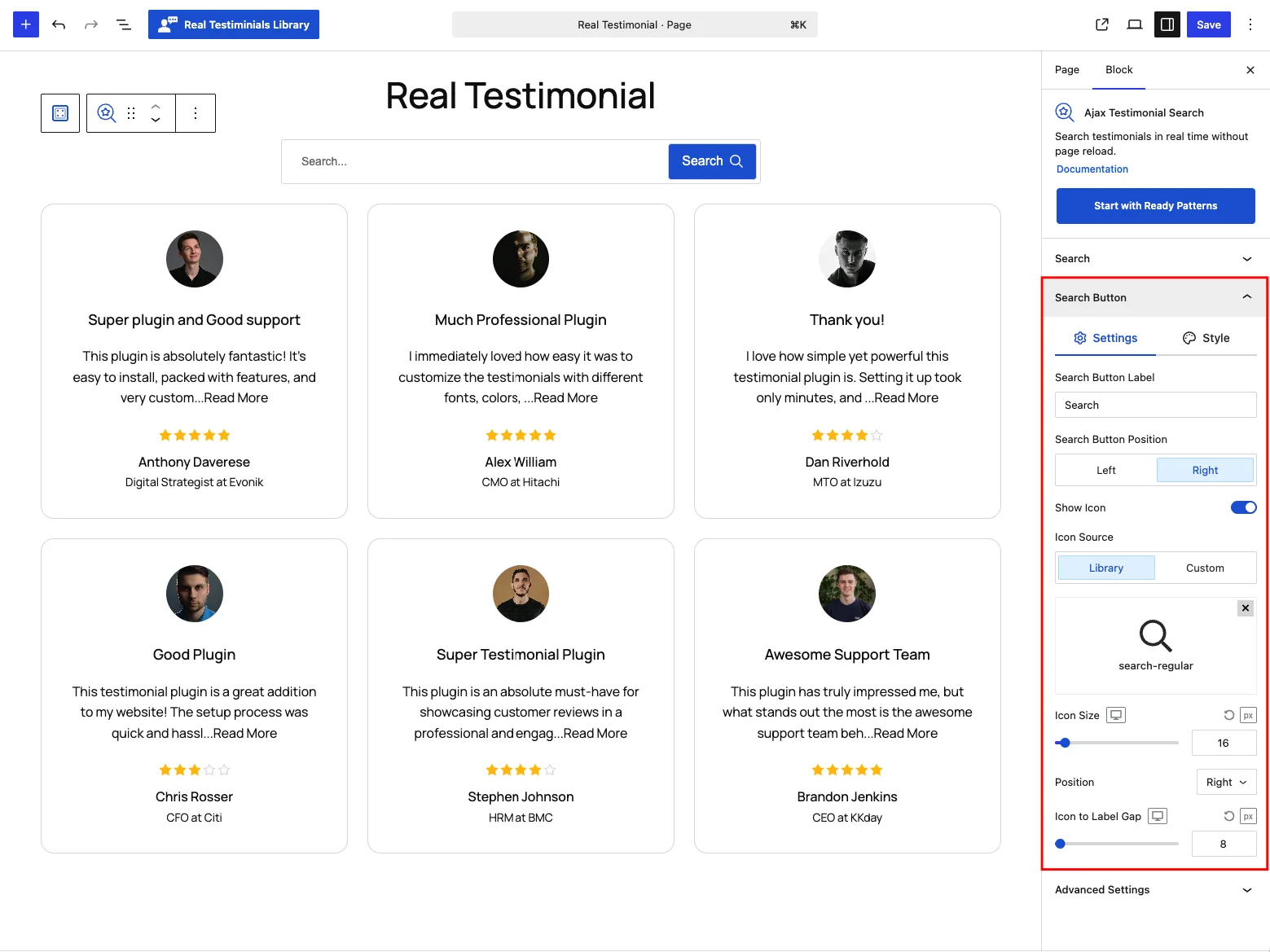
| Control | What it does |
|---|---|
| Search Button Label | Button text. Default Search. |
| Search Button Position | Left or right of the field (default right). |
| Show Icon | Add an icon to the button. On by default. |
| Icon Source / Icon | Pick an icon from the built-in Library or upload a Custom one. |
| Icon Size | Icon size in px (default 16). |
| Position | Put the icon left or right of the button label. |
| Icon to Label Gap | Space between the icon and the label (default 8px). |
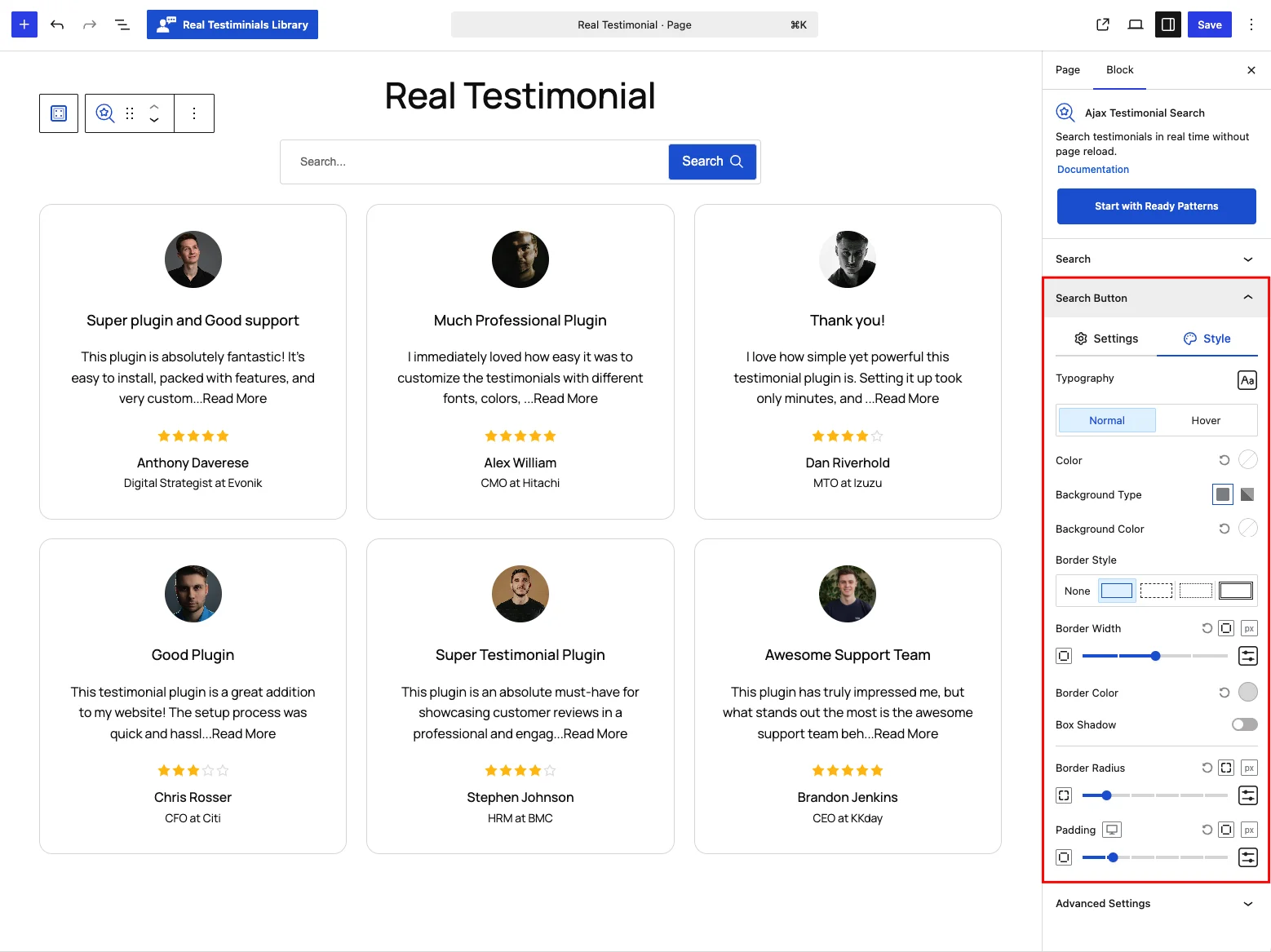
The Style tab covers the button's typography, color, background, border, box shadow, radius and padding (normal/hover).
Frontend behavior
When a search runs, the block checks the visitor's words against each testimonial's title, text and excerpt (a standard WordPress search — reviewer details like company or designation aren't searched) and swaps the matches into place with AJAX, without a page reload. The rest of the page stays put.
How the search fires depends on the button:
- With a button (Inside or Outside), the search runs when the visitor clicks the button — pressing Enter in the field does nothing.
- With No Button, it's a live search — results update as the visitor types, with a request sent on every keystroke.
Either way, running a search jumps back to the first page, so it stays in sync with Ajax Pagination and any active Live Frontend Filter on the same group.
Tips
- Write a helpful placeholder such as "Search reviews…".
- Pair with Ajax Pagination so long result sets stay manageable.
- Add filters alongside it and you've got a full "review center" — visitors can search, filter and page through everything in one place.