

Filter by Rating
Filter testimonials by star rating, as a dropdown or a button group.
The Filter by Rating control lets visitors narrow testimonials to a star rating. It offers a fixed set of options — 5 Stars, 4 Stars, 3 Stars, 2 Stars, 1 Star and an All reset — so a visitor can jump straight to, say, the 5-star reviews. Like Filter by Group, it lives inside a Live Frontend Filter row and updates the display block live over AJAX, without reloading the page.
How to add it
Add it from the inserter inside a Live Frontend Filter row, alongside or instead of a Filter by Group control.
Settings
Select the control and open the Filter by Rating panel. If you've already set up Filter by Group, this will feel familiar — the controls are the same. The only difference is the options themselves: star ratings are fixed, so there's no "Show Groups / Include / Exclude" section.
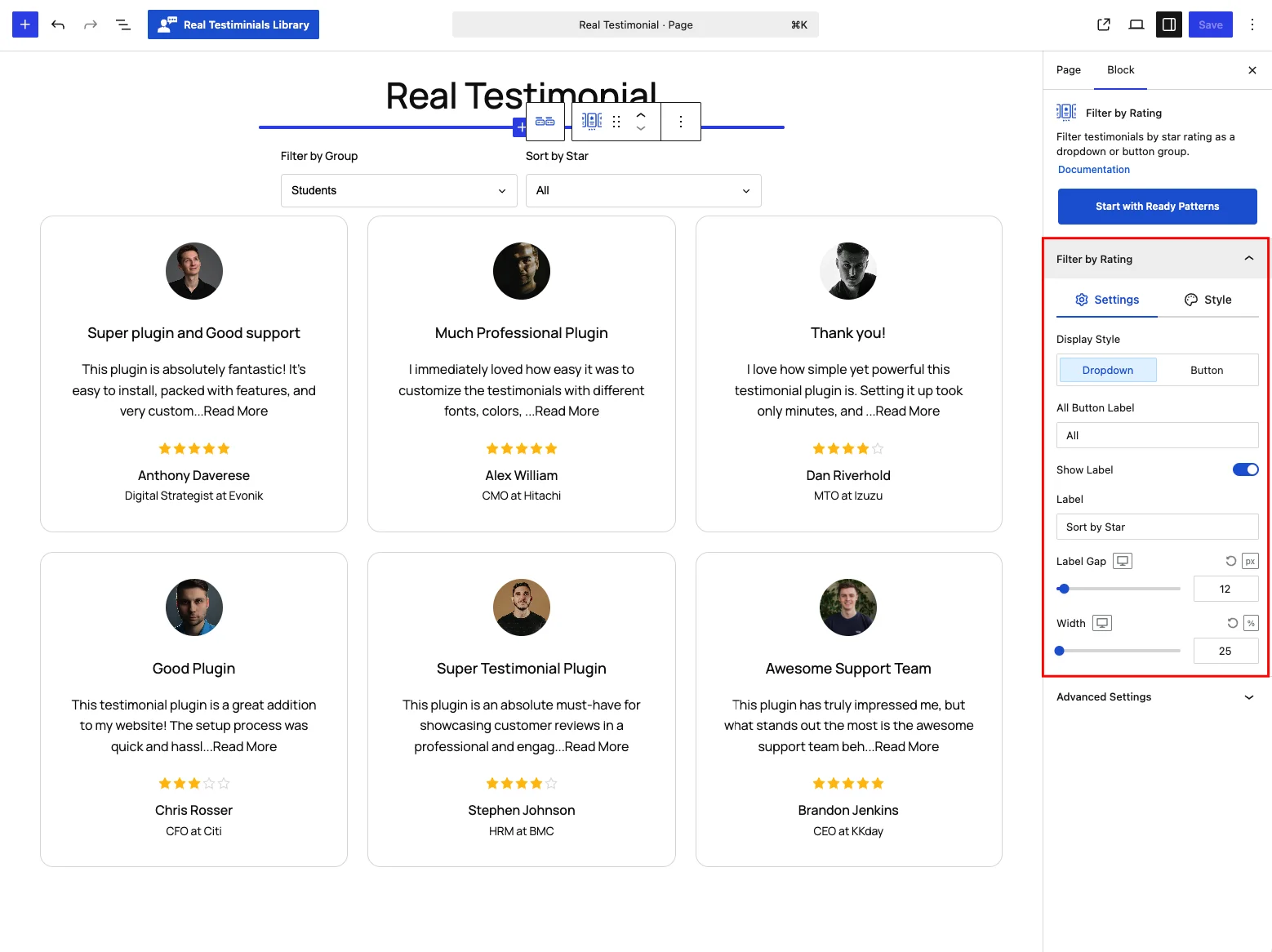
- Display Style — Dropdown (default) or Button group.
- All Button Label — label for the reset option (default All).
- Button-style-only controls (appear when Display Style is Button): Item Orientation (Horizontal or Vertical), Button Width — Fit (default), Grow or Fixed, which reveals a numeric width field (default 100px) — and Buttons Gap (default 8px).
- An optional Label caption (defaults to Sort by Star) with a Label Gap, and overall Width (default 25%).
The five star options themselves are fixed — you can't add, remove or reorder them.
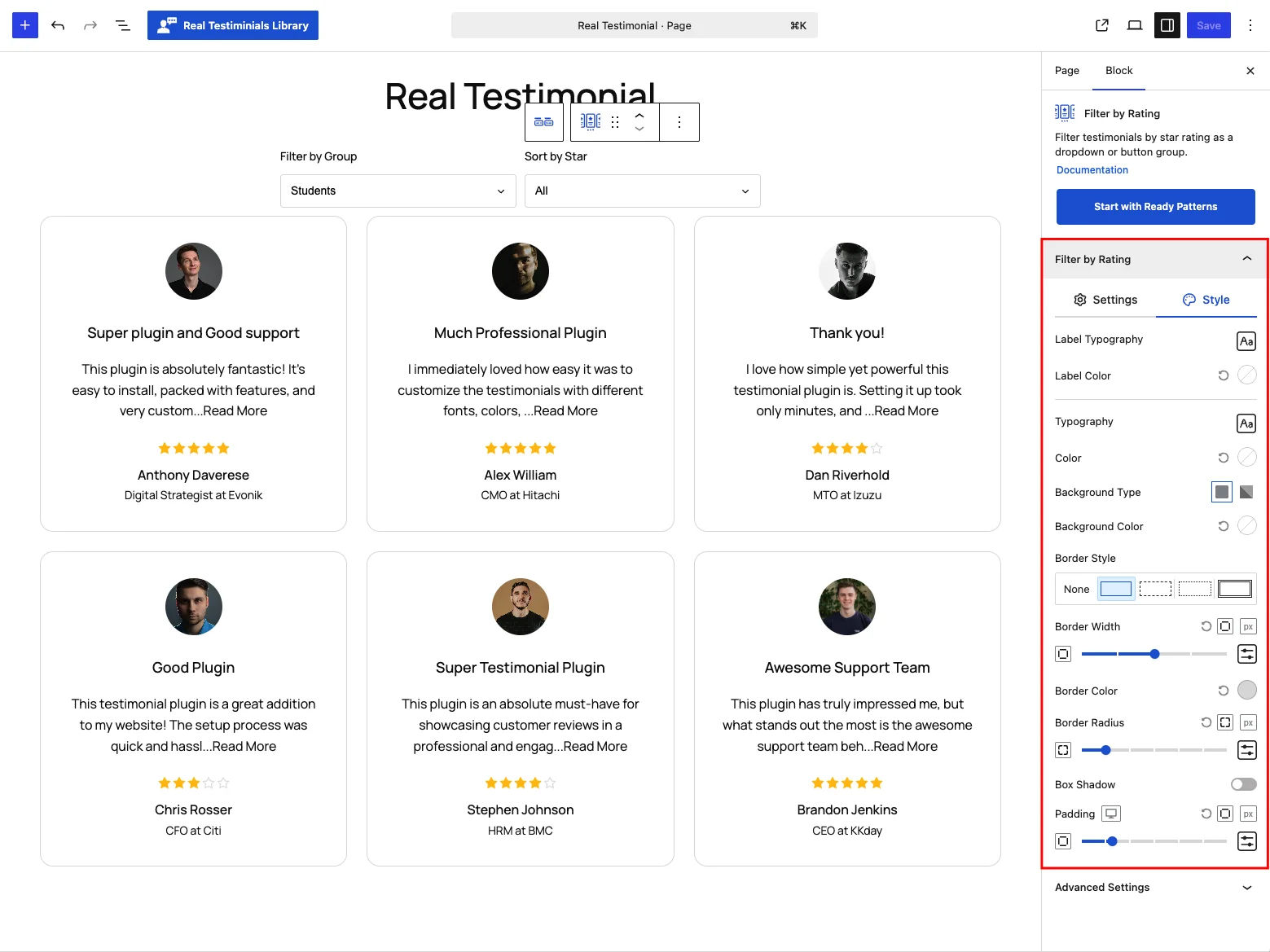
On the Style tab: label and filter typography, color, background, border, radius, shadow and padding, with Normal and Hover & Active states.
The Advanced Settings panel adds the shared per-device visibility toggles (Hide on Desktop / Tablet / Mobile) and the Custom CSS Class and Custom CSS ID fields — see the Carousel reference.
Frontend behavior
When a visitor picks a rating, the block fetches just the testimonials at that rating over AJAX and swaps them in — no page reload. When both filters are present, the Live Frontend Filter's Multiple Filter Relation (AND / OR) controls how rating and group filters combine.
Tips
- Use the Button style so the star options are visible at a glance; switch to Dropdown to save space.
- Combine with Filter by Group and set Multiple Filter Relation → AND for precise "5-star Product reviews" style filtering.