

Ajax Pagination
Load testimonials in pages — with a load-more button or numbers — without reloading.
The Ajax Pagination block (a content element you add in the WordPress editor) splits a long testimonials list into pages and loads each one with AJAX — a way to pull in new content instantly, without reloading the page. Visitors click a Load More button or a page number, and the next testimonials appear right in place.
How to add it
Enable Ajax Pagination in a display block's Layouts panel. The plugin wraps the block in a Testimonial Group and inserts the pagination control below it. The toggle is only offered on the four grid-family blocks — Grid, Bento Grid, Polaroid Grid and Masonry — and it's on by default for all of them. (Carousel, Slider and Marquee don't offer it — they have no "pages".)
Settings
Select the pagination control and open the Ajax Pagination panel. The controls change with the Pagination Type you pick.
Settings — Button (load more)
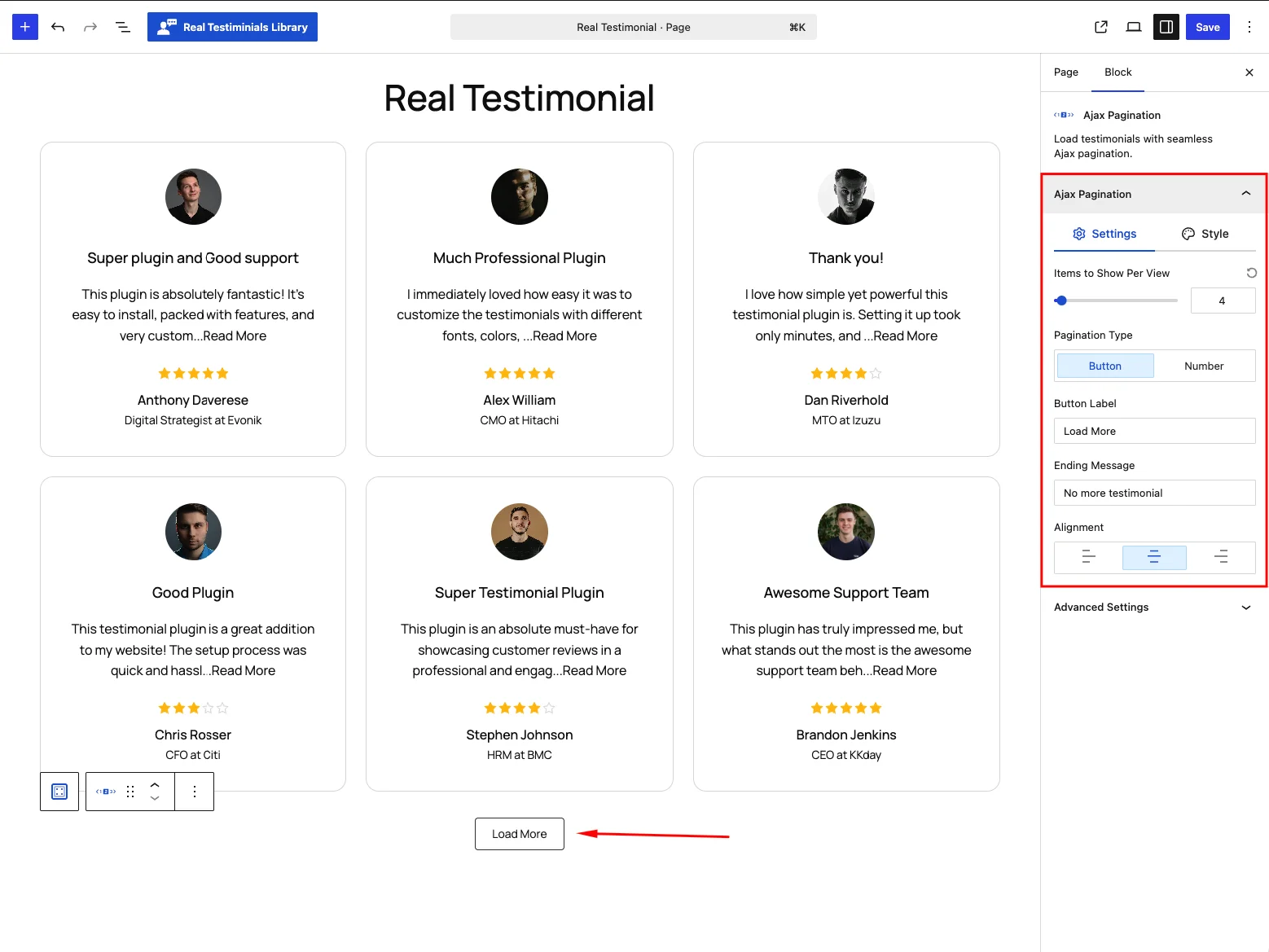
| Control | What it does |
|---|---|
| Items to Show Per View | How many testimonials load per page (1–50, default 4). |
| Pagination Type | Button (load more) or Number (numbered pages). |
| Button Label | Text on the load-more button. Default Load More. |
| Ending Message | Message shown when there are no more testimonials. Default No more testimonial. |
| Alignment | Align the control left, center or right. |
Settings — Number (numbered pages)
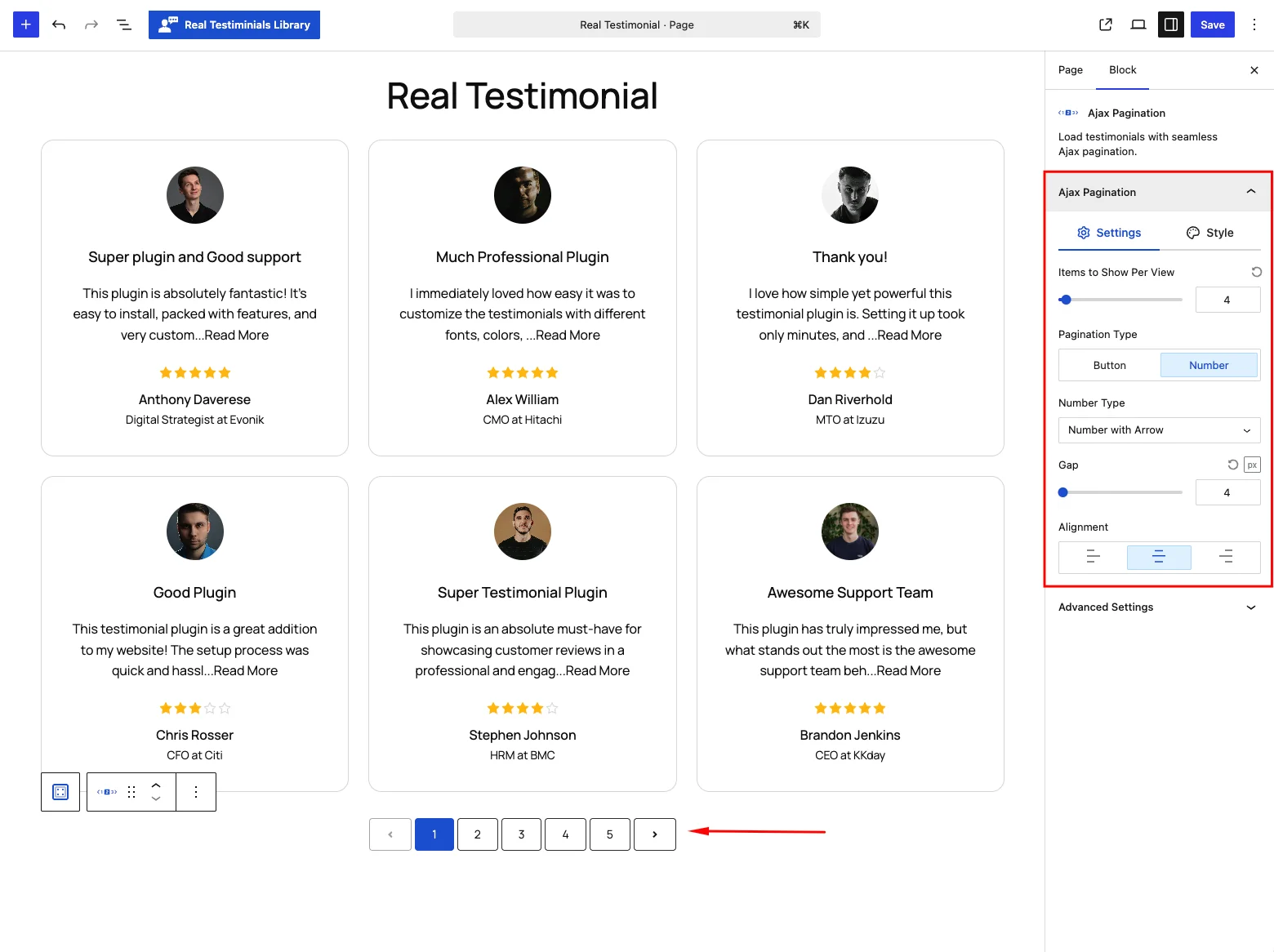
Switching Pagination Type to Number swaps the button fields for these:
| Control | What it does |
|---|---|
| Number Type | Number, Number with Arrow, Number with Next & Previous, or Previous & Next. The Next/Previous variants show fixed Prev and Next labels — there's no field to change them. |
| Gap | Space between page numbers (default 4px). |
Style
Typography, text and background color in two states — Normal and Hover (labeled Hover & Active for the Number type, since it also styles the current page) — plus border, border radius, padding and margin for the button or number controls.
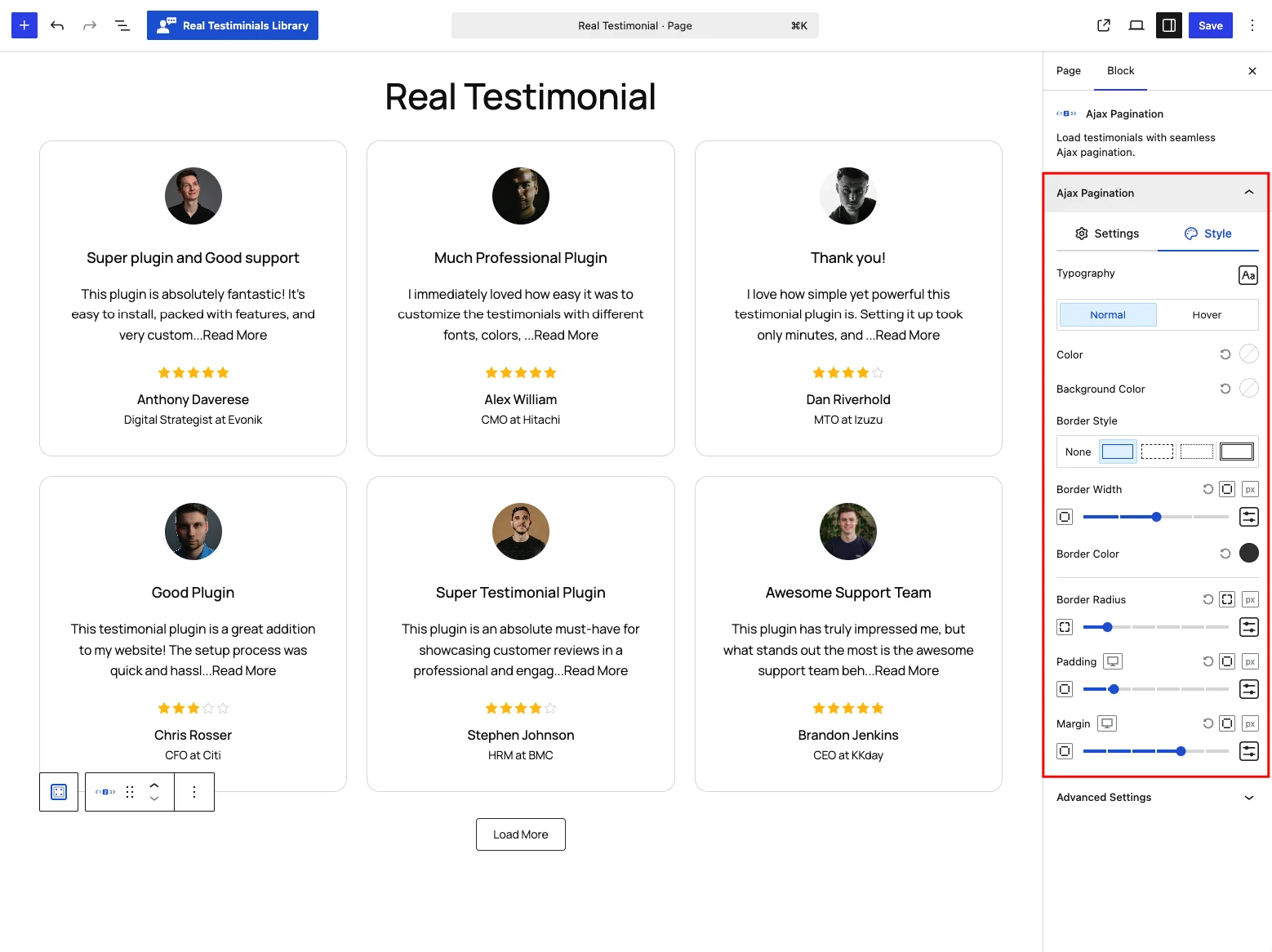
Frontend behavior
When a visitor clicks Load More or a page number, the block fetches the next batch of testimonials and adds it to the list without reloading the page. Pagination also stays in sync with any active search and filters on the same group, so what visitors page through always matches the current results.
Tips
- Load More feels natural on long, casual walls of reviews; Number suits a structured review archive.
- Keep Items to Show Per View modest (4–9) so the first paint stays fast.
- Write a friendly Ending Message like "You've reached the end — thanks for reading!".